MPL Desktop & Mobile
IA re-org & redesign of MPL's services and events
type
Website Design
Mobile Design
TEAM
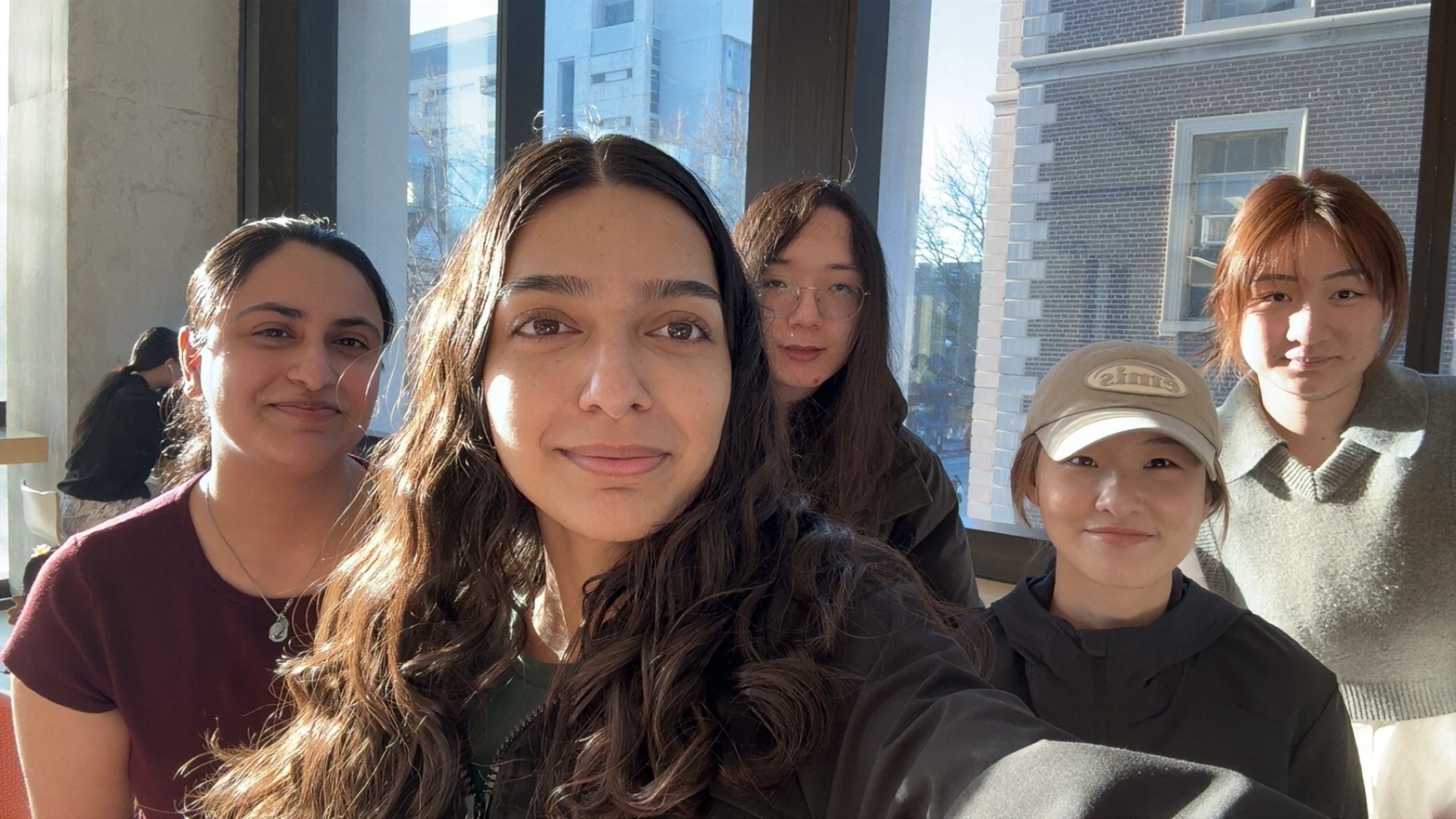
5 UX Designers & MPL Team
TIMELINE
Jan 2026 - April 2026
Stage
Handoff
OVERVIEW
This project focused on improving the usability of the Milton Public Library website. The goal was to help users more easily access core services such as getting a library card, finding events, and browsing resources.
While the site provides a wide range of information, users often struggle to understand where to start and how to move through the system.
Role
Conducted end-to-end UX research to uncover usability and information architecture challenges
Designed and refined wireframes to improve navigation, content structure, and key user flows
Translated user insights into prioritized design improvements through testing and iteration
The Problem
Users couldn’t find what they needed, even when it existed
The website made it difficult for users to complete common tasks efficiently. Navigation was unclear, labels were inconsistent, and key services were not always visible. Users often relied on trial and error to find information. This slowed down task completion and reduced confidence, especially for new or unfamiliar users.
Process
We redesigned the structure by understanding the issues first
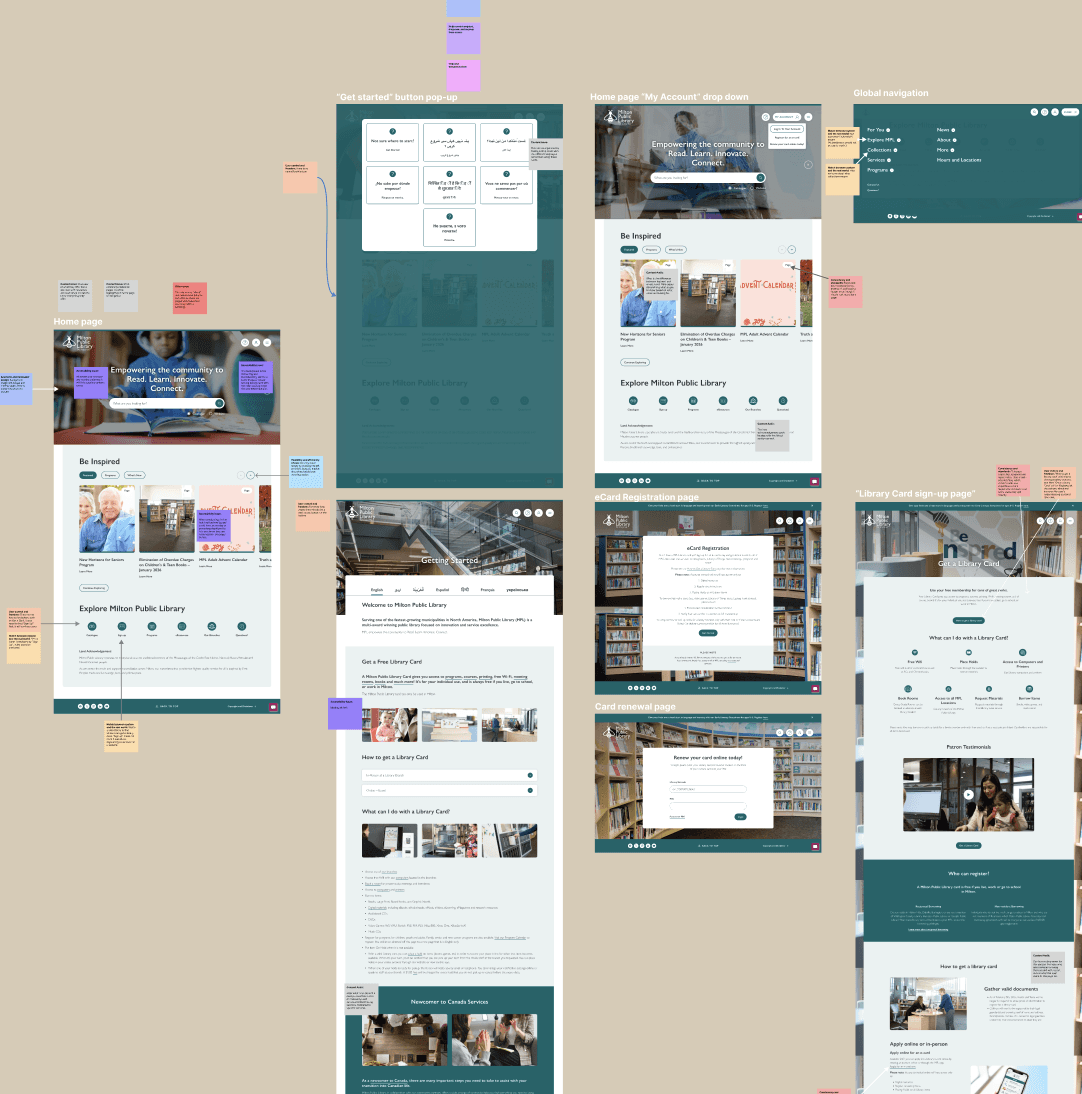
We used a mixed-method research approach to understand the experience. This included heuristic evaluation, content audit, surveys, card sorting, and stakeholder insights.
We started by analyzing the current website and identifying usability issues through heuristic evaluation and content audit. Then we conducted surveys and card sorting to understand how users expect information to be grouped and labeled. To strengthen our direction, we used comparative analysis to benchmark against other library websites and identify best practices in navigation and content organization.
Based on these insights, we created early wireframes focused on improving navigation, visibility, and task flow.
Research - Heuristic evaluation
The structure didn’t match how users think
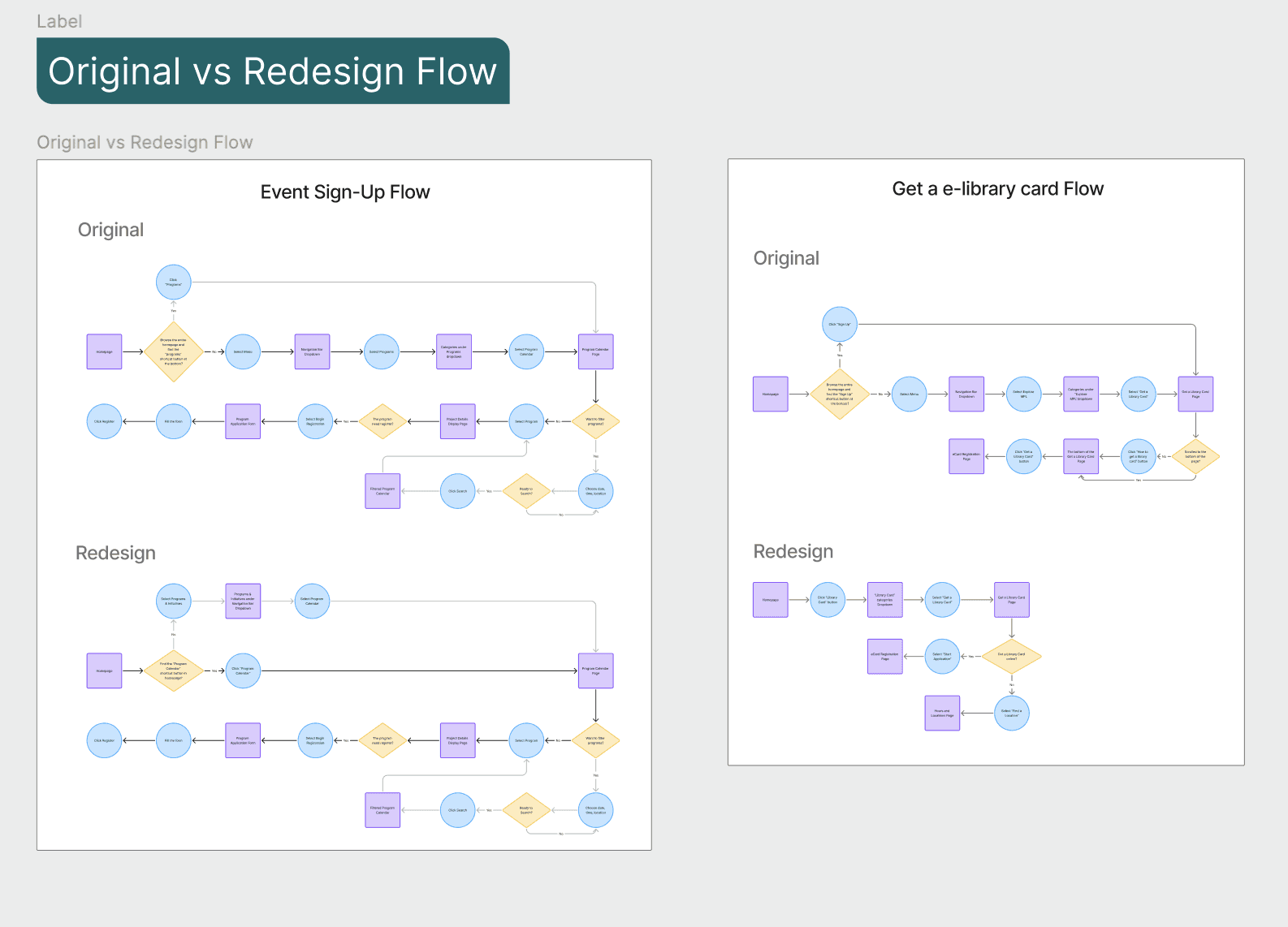
We identified key usability issues such as mismatched labels (e.g., “Sign Up” vs. “Get a Library Card”), unclear primary actions, and inconsistent terminology. Content was often duplicated or overly dense, making it harder for users to quickly find and understand key services.
Research - Accessibility Audit
The site worked, but not for everyone
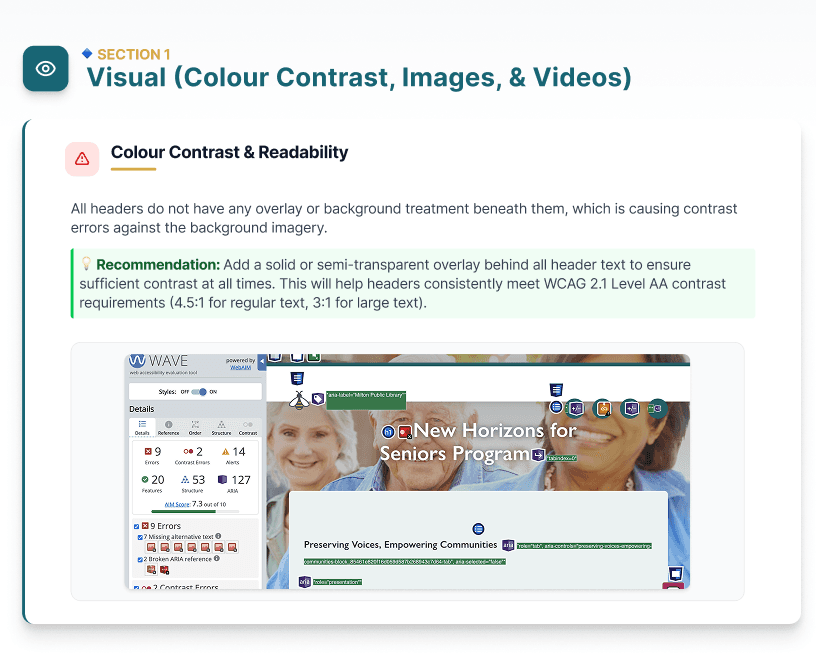
We found several accessibility gaps, including low contrast text, missing alt text, lack of keyboard navigation support, and unclear button labeling. Structural issues like missing “skip to content” links and incomplete ARIA labels made navigation more difficult for assistive technology users.
Research - Competitive Analysis
Other libraries made key actions easier to find
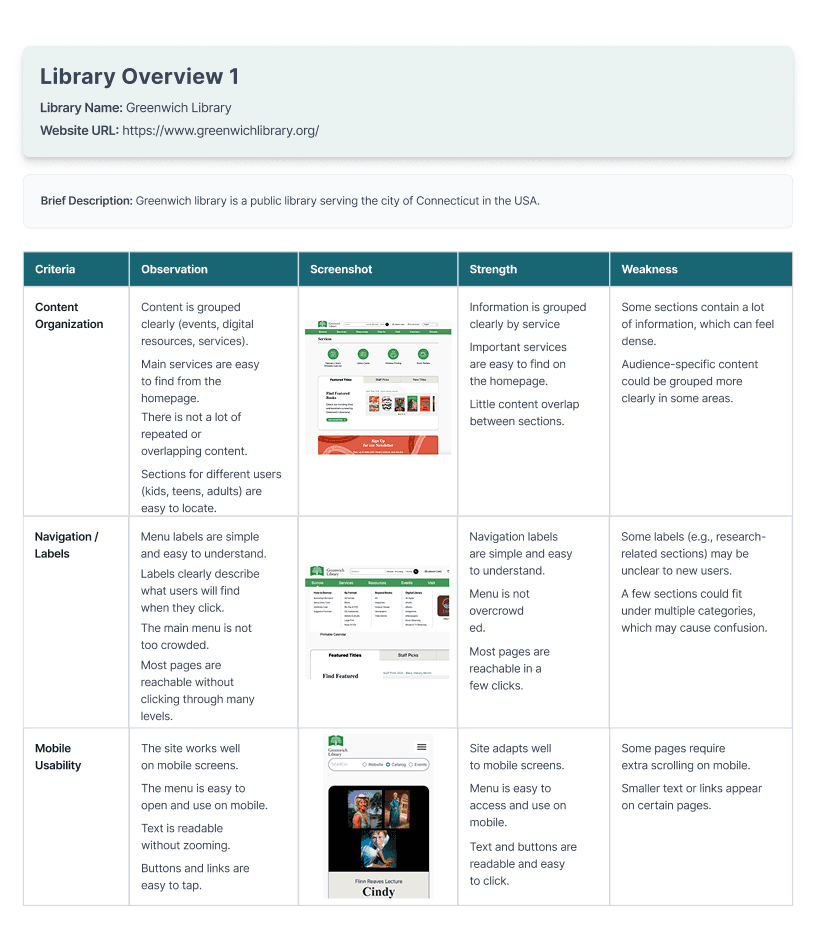
Through analyzing peer library websites, we found that leading platforms prioritize task-based navigation, simple menu structures, and strong mobile usability. In contrast, MPL’s structure relied more on internal categorization, making it harder for users to find key services quickly.
Testing - Card Sorting
They knew what they wanted, just not where to go
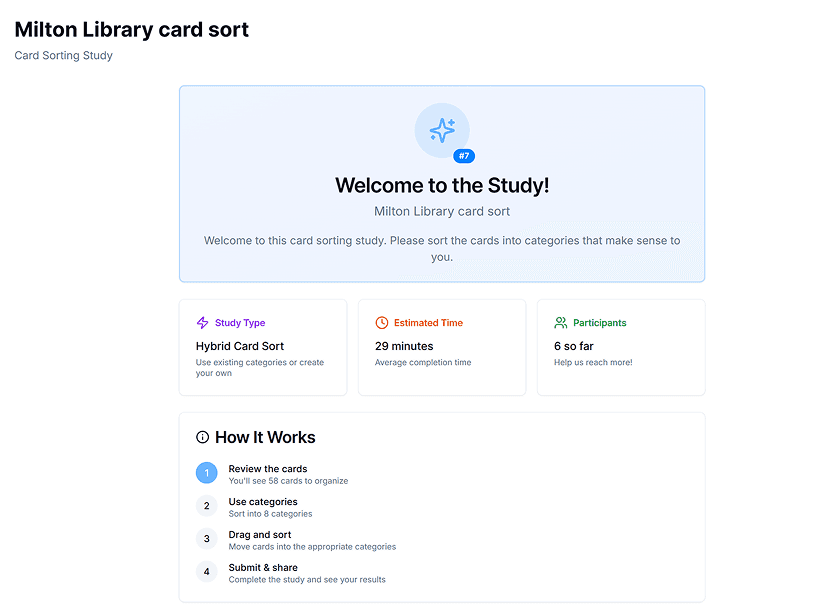
Users struggled to decide where to start tasks, especially when similar options were presented (e.g., library card vs e-card). Card sorting revealed that users prefer grouping content based on tasks, and testing showed that users expected faster access to key features like events and services.
Research - Information Architecture
Same content, just easier to use
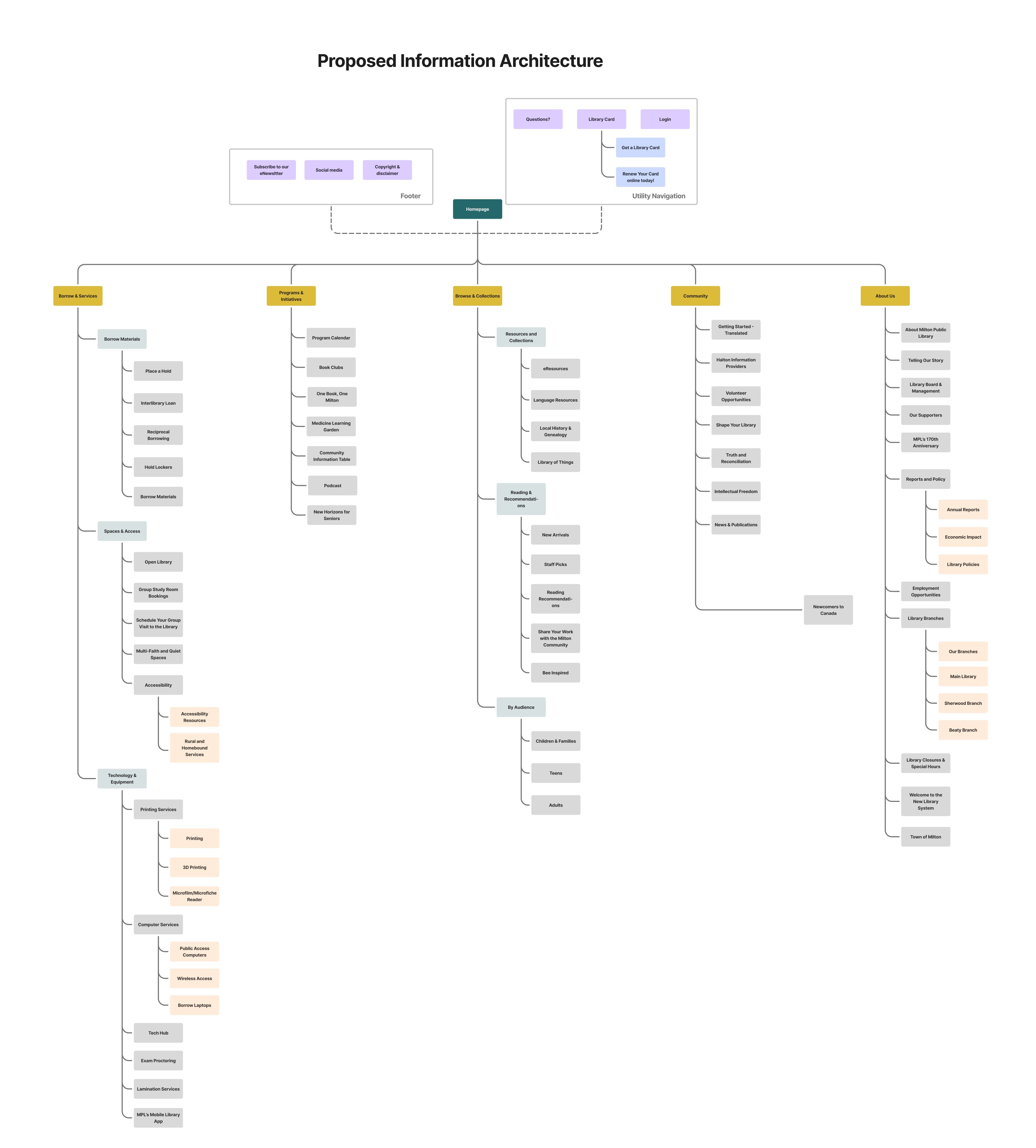
Before
The original navigation was complex, often hiding key services and forcing users to rely on trial and error to complete tasks. Because the pages felt dense and overwhelming, the overall experience lacked a clear path forward.
After
We transitioned to a simplified, task-focused navigation that makes key services immediately accessible. By streamlining workflows and improving content scannability, we enabled users to complete tasks with fewer steps and greater confidence.
Wireframing / Prototyping
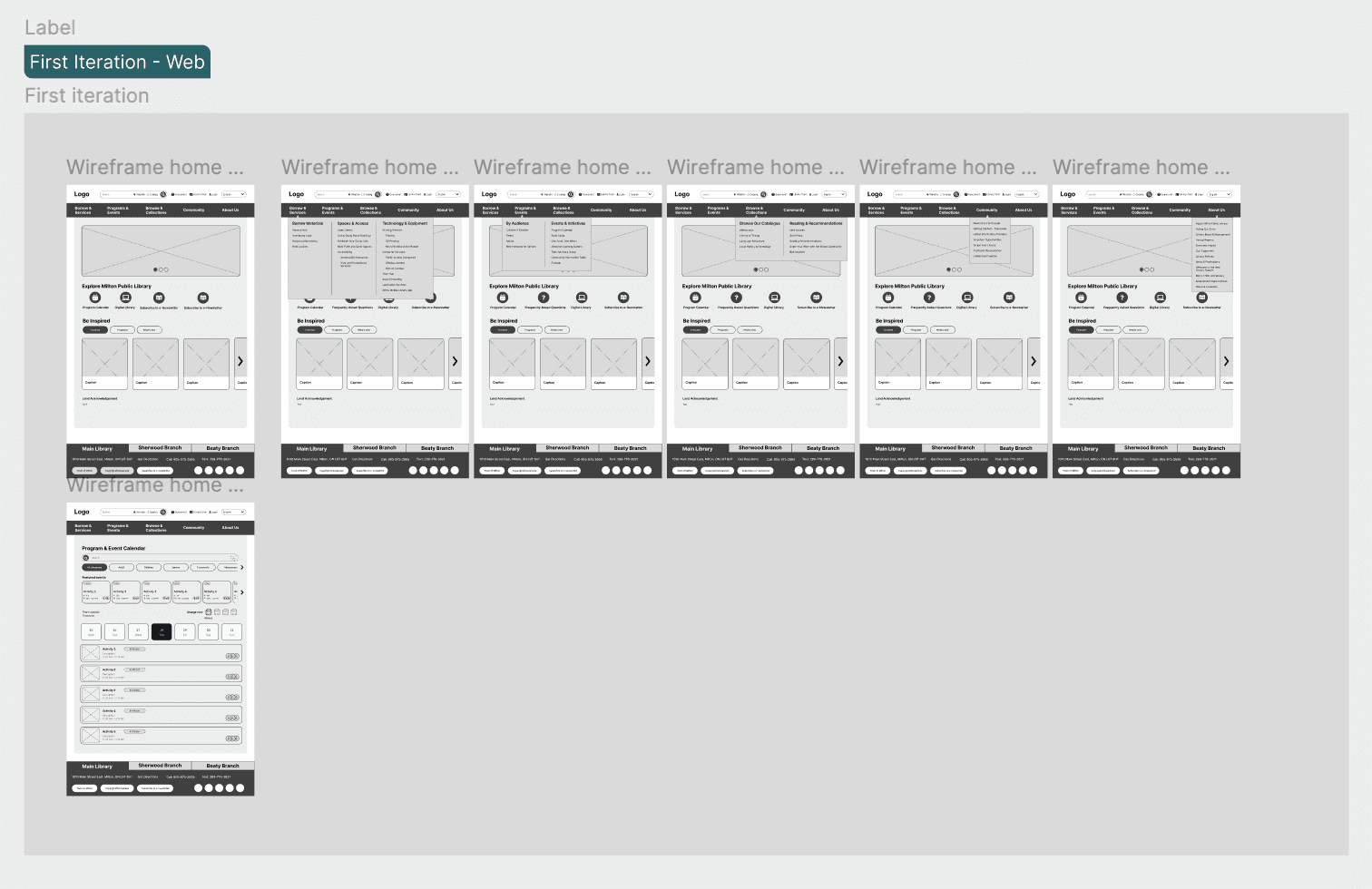
We made key actions easier to see and easier to start
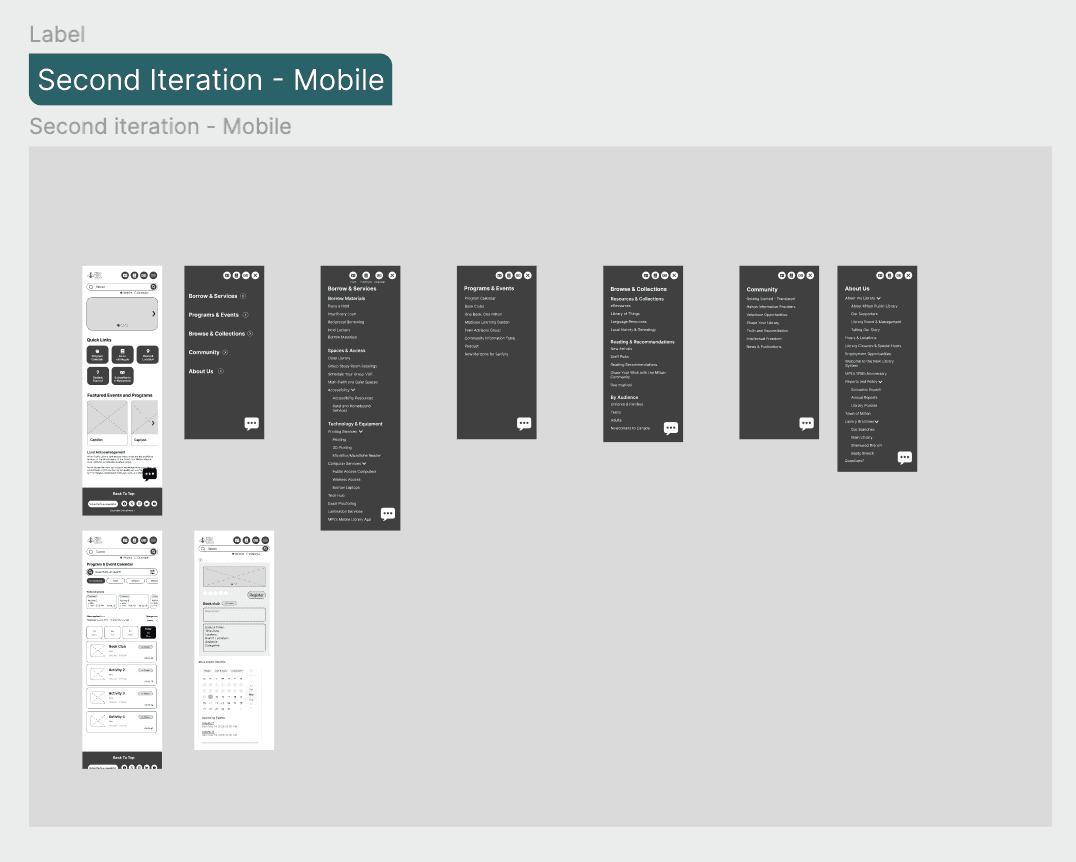
Early designs focused on surfacing important actions and simplifying navigation. Through iteration, we reduced visual clutter, improved hierarchy, and repositioned key actions like registration to be more visible and accessible.
User Testing
We used testing to focus on what mattered most
After creating the wireframes, we conducted usability testing to evaluate how users interacted with the redesigned experience.
We observed user behaviour, points of hesitation, and how users navigated key tasks like getting a library card and finding events.
To guide our decisions, we created a prioritization grid to map user feedback based on impact and effort. This helped us identify which issues to address first and ensured our iterations focused on the most critical improvements.
Final Design
Clear structure leads to good experience
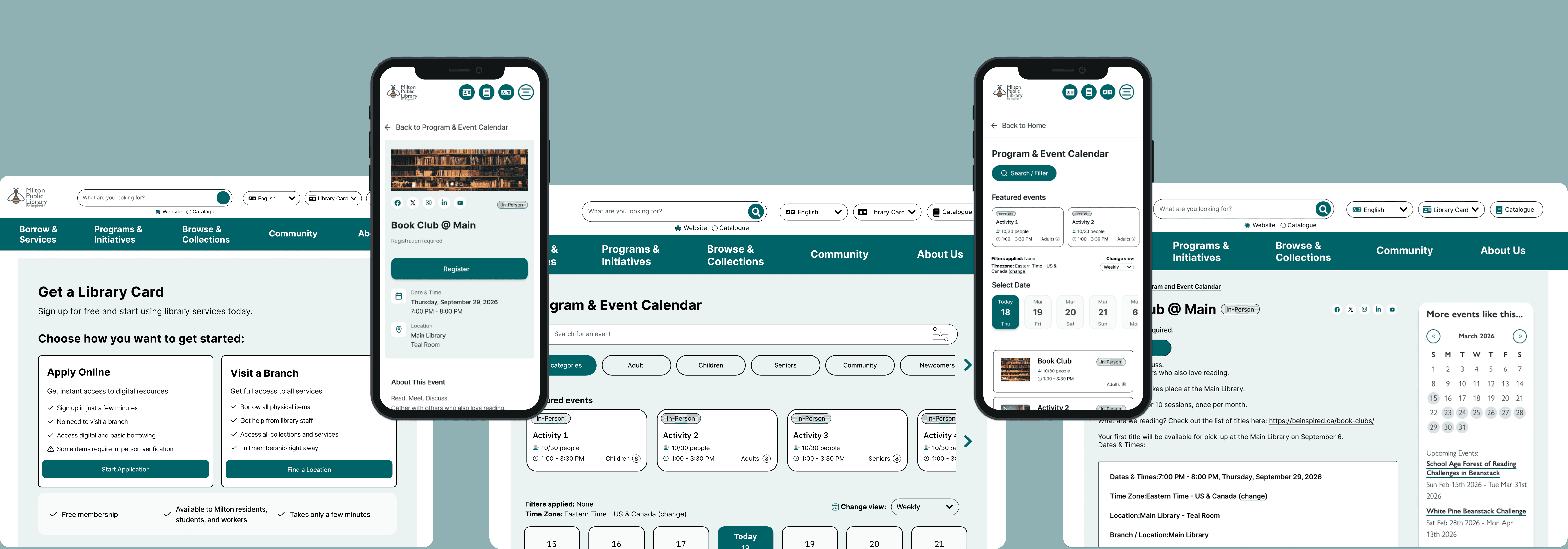
Before users struggled to locate key services like getting a library card or finding events. Important actions were not clearly prioritized or visible. And on mobile, these issues became more noticeable due to limited space and less visible navigation.
Our redesign makes it easier for users to find and complete key tasks, as users can navigate more efficiently with less confusion. Key services are easier to access, improving overall usability.
Reflection
Clarity in structure leads to confidence in use
This project showed how unclear navigation and labeling can create friction, even when content is available. I learned how aligning structure with user mental models and simplifying content can significantly improve usability.
It was amazing working with these talented designers. Grateful for the late night work sessions with them!